B2B marketplace iOS & web app

Listing a motorbike is now
as easy as listing a car.

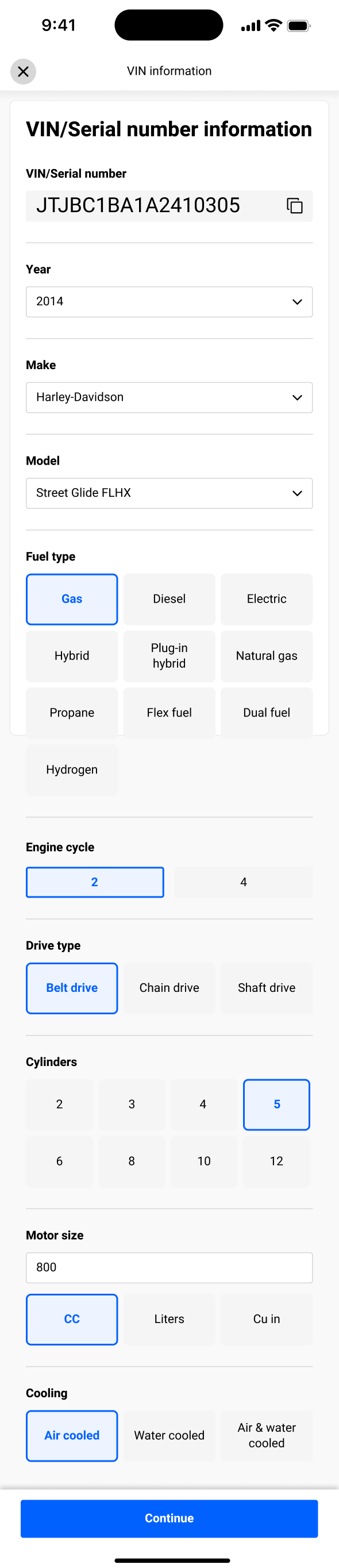
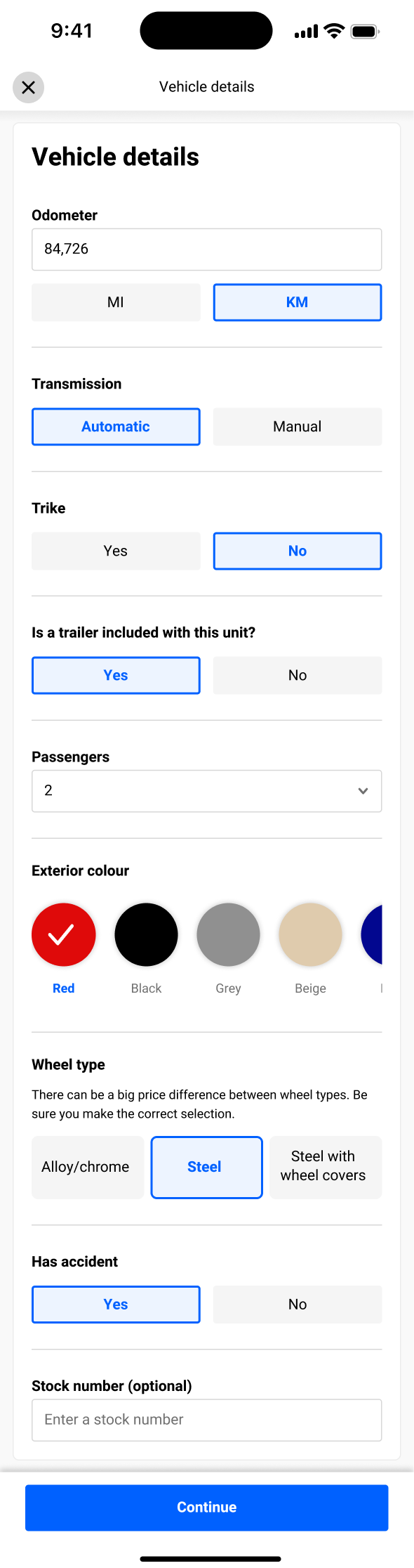
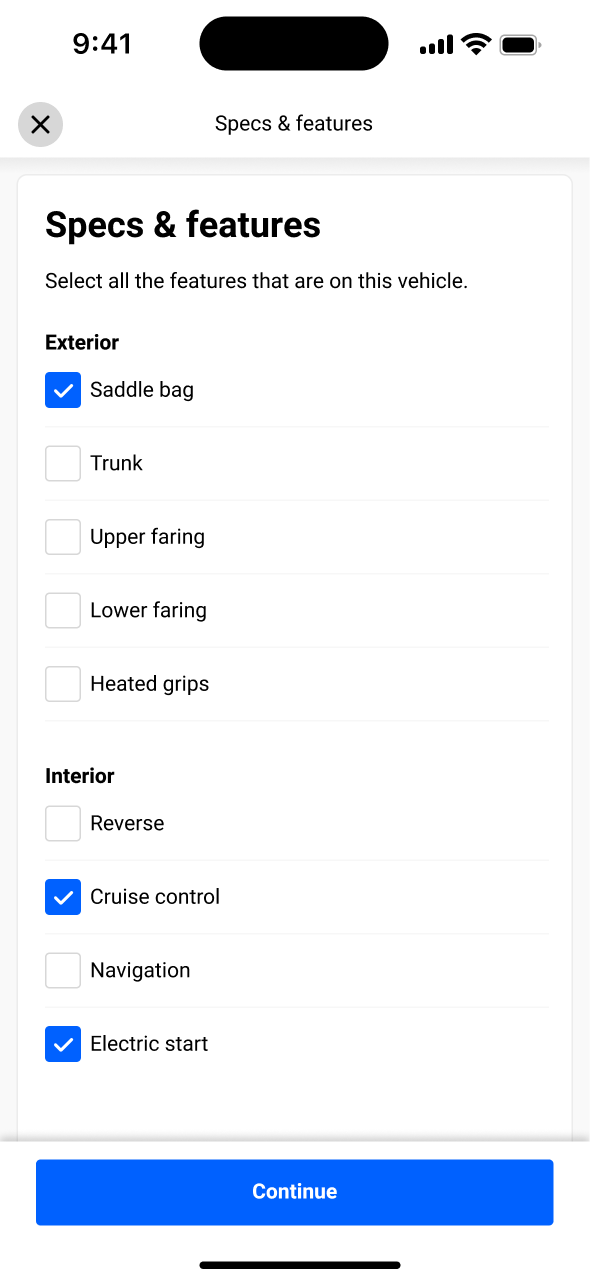
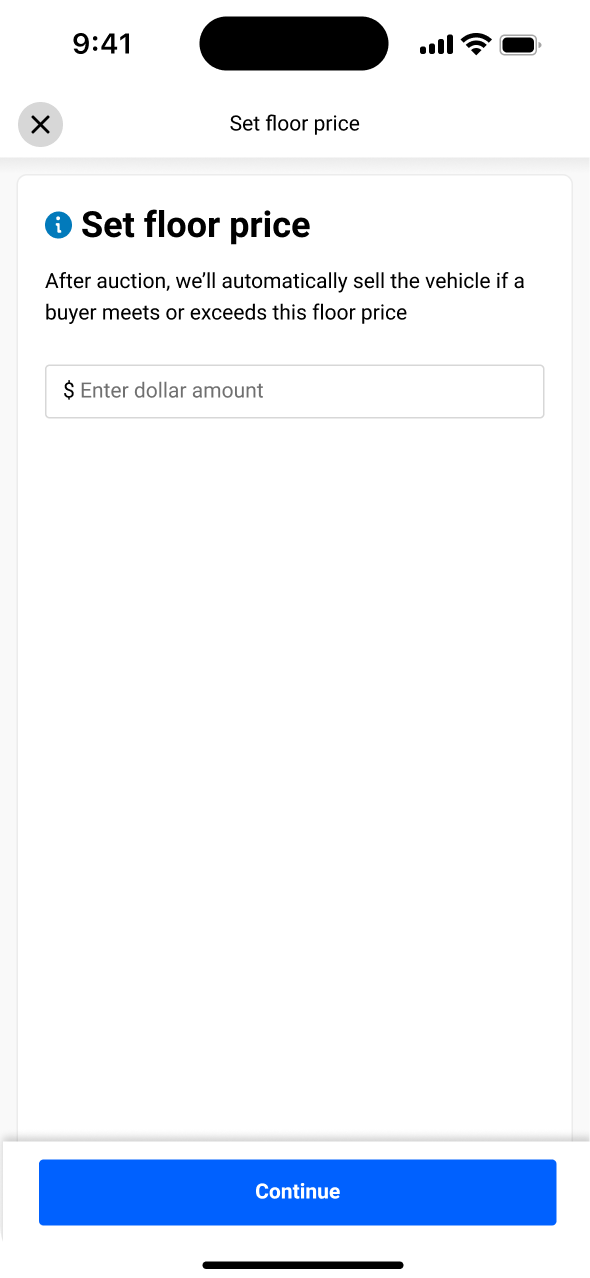
OPENLANE is a wholesale marketplace where dealers buy and sell used vehicles. Its listing app was built for cars, so it broke down when dealers tried to sell motorbikes, ATVs and snowmobiles. I led the redesign that lets 125K+ dealers list them as quickly and confidently as a car.

Role
Lead product designer
Duration
5 months
Domain
Automotive/B2B marketplace
User
Wholesale vehicle dealers
In a nutshell

The 30-second version

For recruiters, hiring managers, design and product leaders, and anyone reading between meetings.

01 · The user

Dealers listing
on the lot.

  • 125K+ wholesale dealers
  • List motorcycles, ATVs and snowmobiles
  • Use the iOS and web apps
02 · The problem

The scanner failed
at step one.

  • Powersports IDs are non-standard and hard to read
  • 41% of scans failed
  • 62% of dealers quit at the first step
03 · My role

Lead Product
Designer (0-1)

  • Led the reframe, flows, interaction and UI
  • Worked with PM, engineering and wholesale dealers
04 · Key move

One flow that
never dead-ends.

  • Split "scan" into capture, decode and match
  • A missing match is no longer an error
05 · The outcome

+20% faster
inspections.

  • ArbitrationA dispute after the sale: the buyer says the vehicle isn't as described, and OPENLANE steps in to settle it. Fewer disputes means more accurate listings. down 12%
  • Bids came in 15% faster
01. Context

Why the car flow worked so well

OPENLANE is a wholesale marketplace where dealers buy and sell used vehicles. To list a car, the dealer scans the VIN in the app. The app then auto-populates the year, make, model and trim in seconds.

This works well for cars because:

  • Standardized 17-character identifiers
  • Printed on labels or dashboards
  • Barcode scanning and OCR (text scan) decode and auto-populate accurately
  • Car VINStandard 17-character
  • Fixed placeLabels or dashboards
  • Barcode & OCR are reliableAccurate auto-population
02. The problem

Stand in the lot for a minute

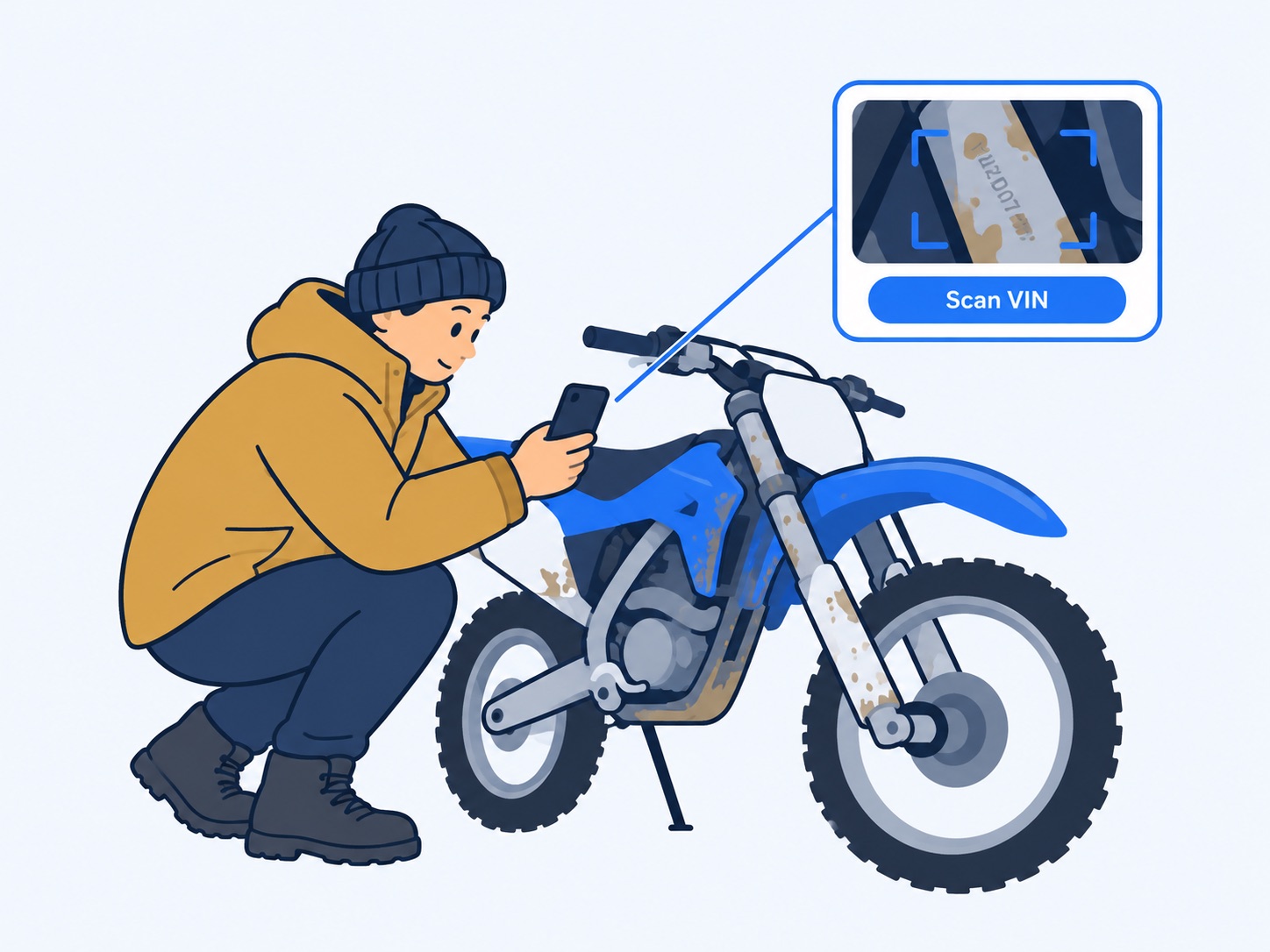
Seven in the morning, early March in Ontario, −6°C (21°F). Powersports sales peak in summer, so the dealer needs eleven vehicles listed before then. The first is a dirt bike with mud dried hard on the frame.

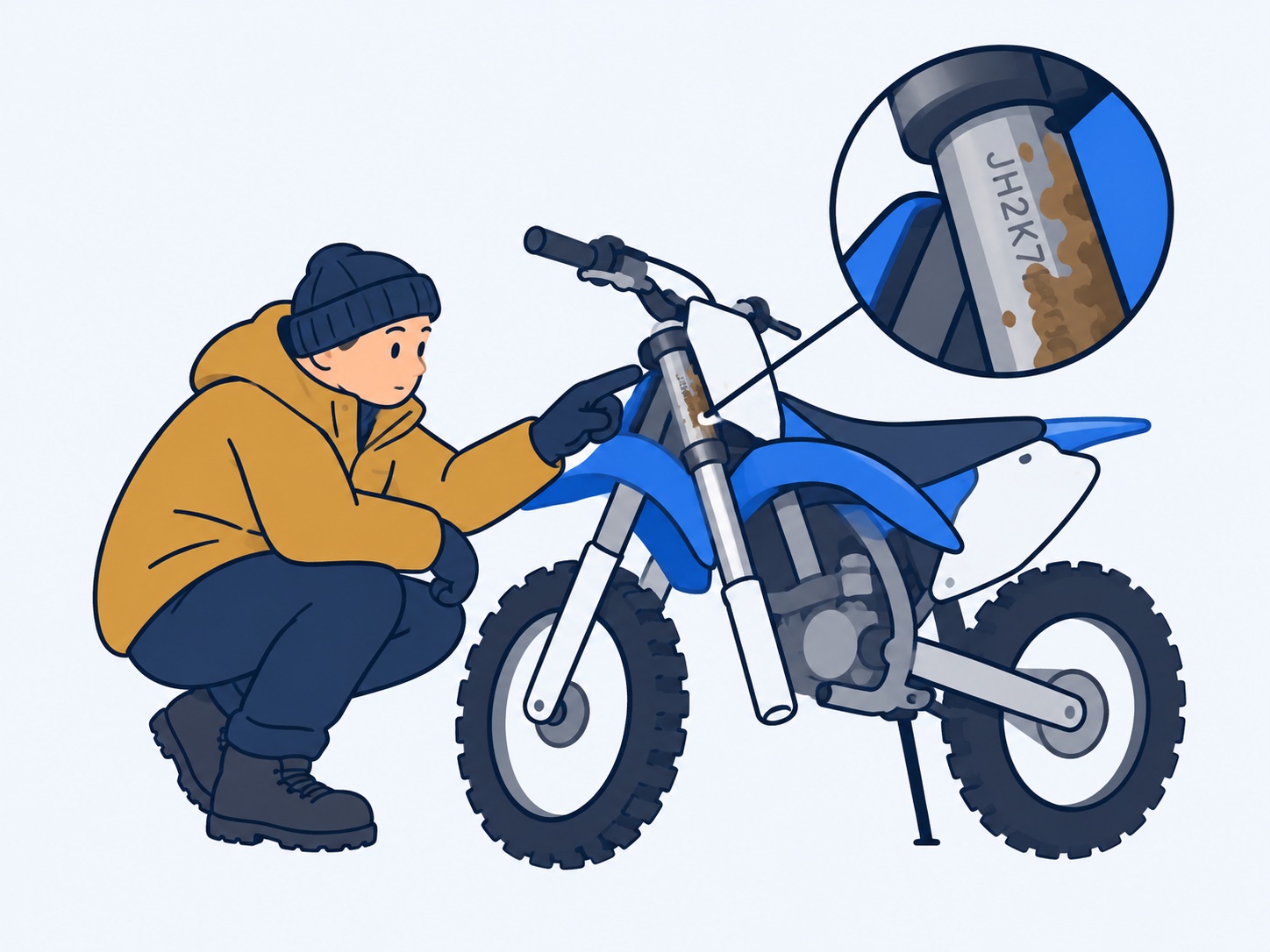
They tap to list it and the camera asks for the VIN. On a car, this step is already done. Here the number is stamped into the frame and half packed with dirt.

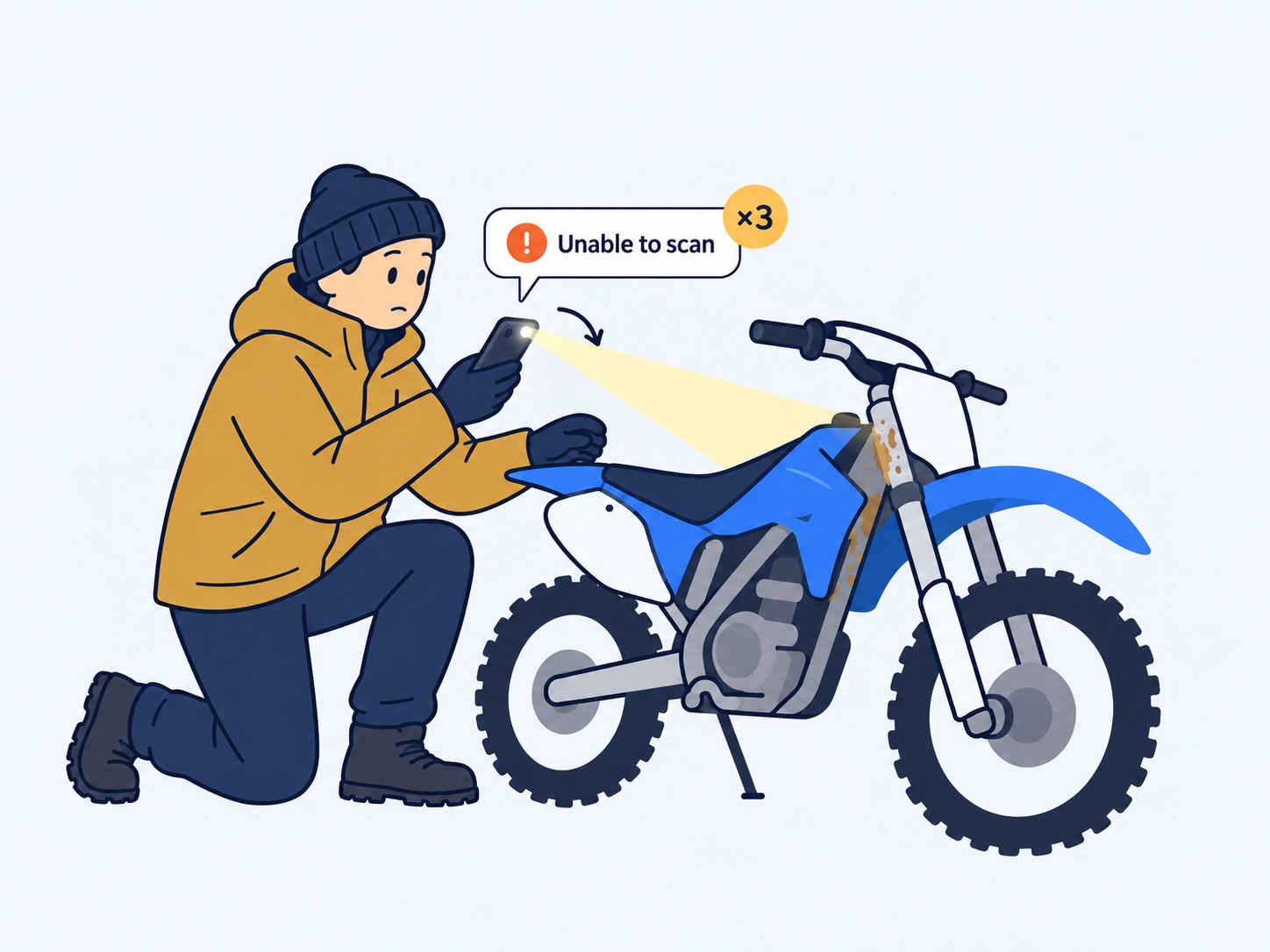
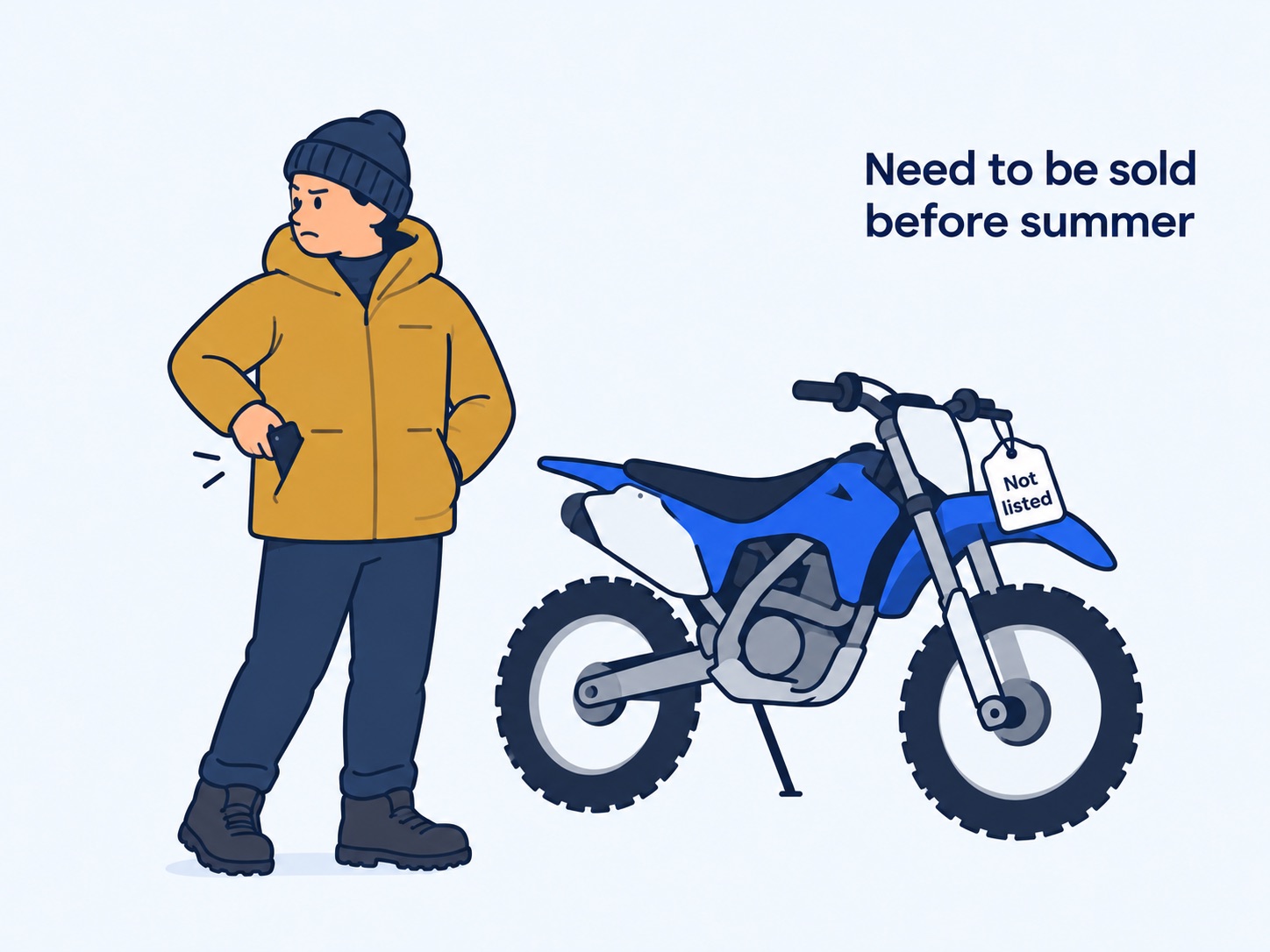
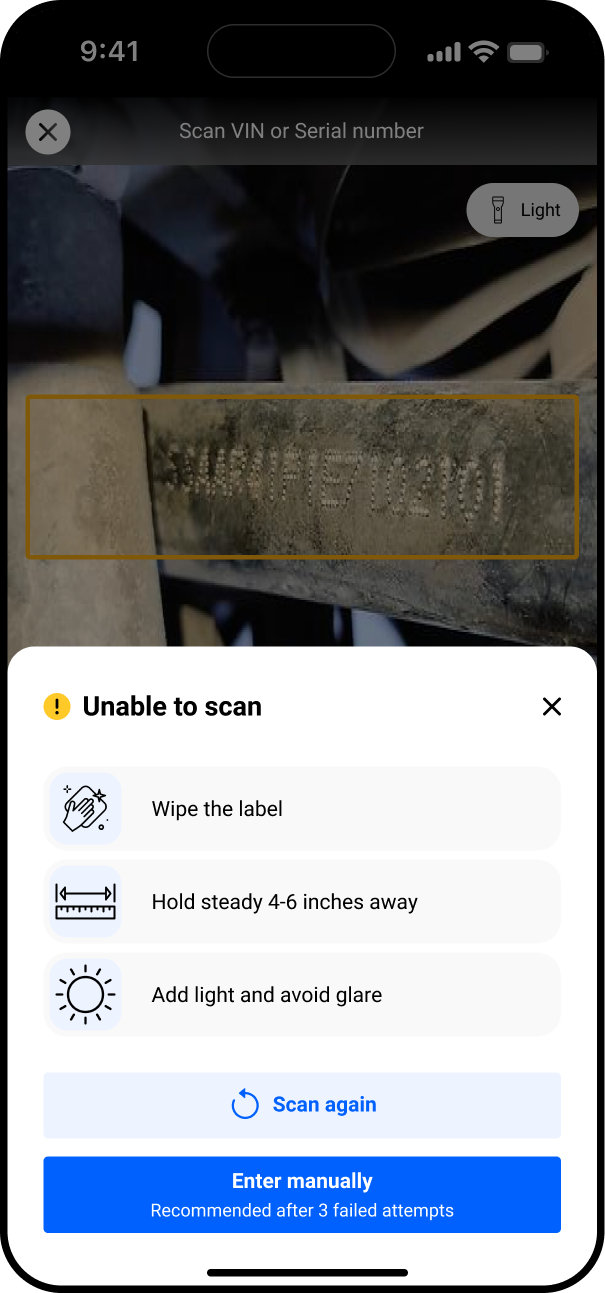
Unable to scan. Another angle, then the flashlight. Nothing typed, no photos, no price. The phone goes back in the pocket, and the bike loses another day before summer.
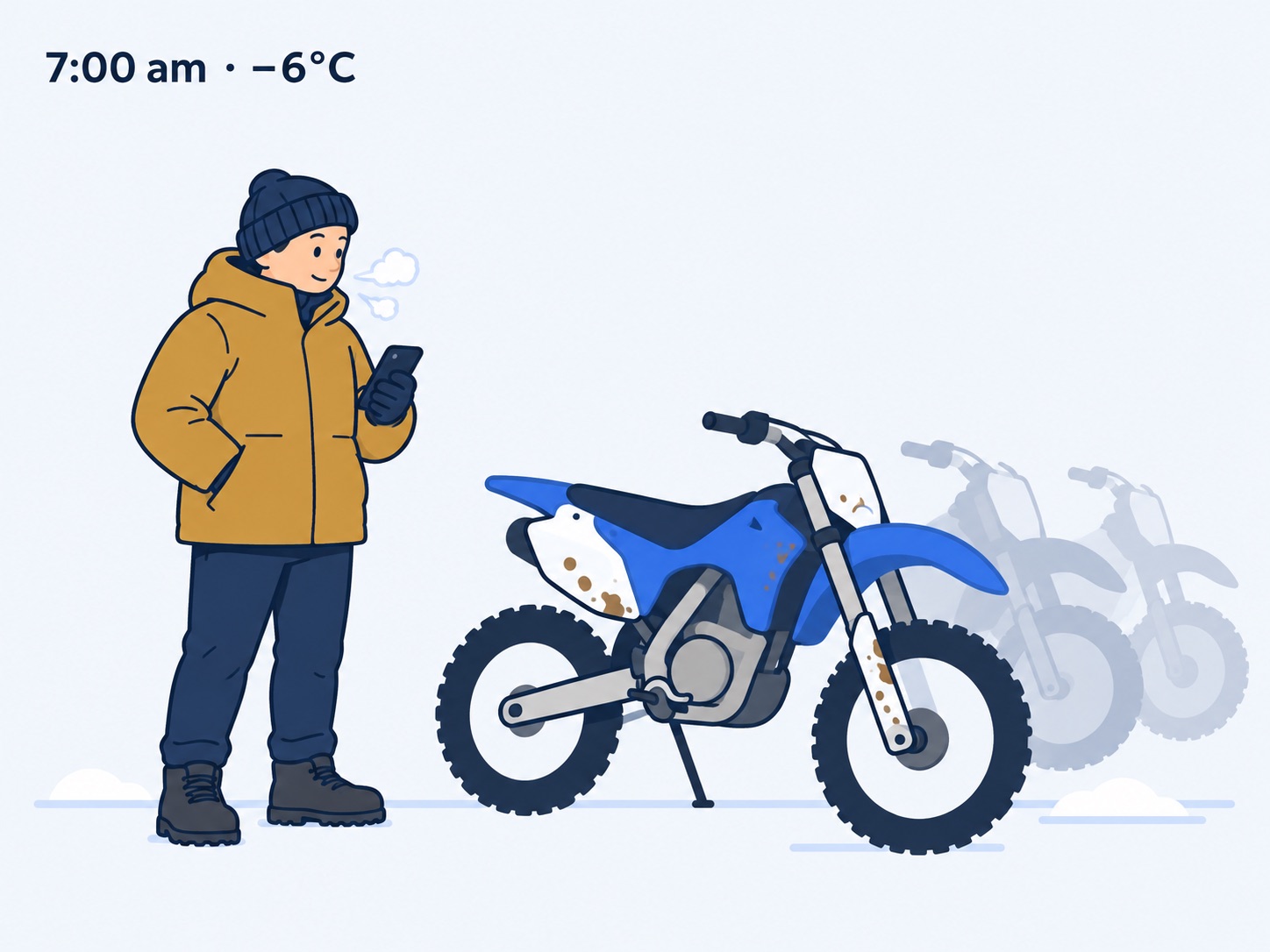
Seven in the morning in March, −6°C, with eleven vehicles to list
17:00am, −6°C. Eleven vehicles to list before summer.
Close-up of the frame: the VIN stamped into the metal, half covered in dried mud
2Mud on the frame. The VIN is stamped into the metal, half covered.
The app opens the camera and asks for the VIN over the muddy frame
3Scan the VIN. The app opens the camera first.
The scan fails three times, with a new angle and the flashlight on
4Unable to scan. Another angle, the flashlight, three tries.
The dealer walks away; the bike stays unlisted as summer approaches
5Back in the pocket. Not listed, and summer gets closer.
03. Diagnosing the legacy experience

Powersports breaks every assumption

OPENLANE reused the car flow for powersports, but motorcycles, ATVs and snowmobiles don't follow car rules. The app opened straight to the scanner, so dealers hit the problem on the very first screen, and many gave up.

An error before they'd invested anything.

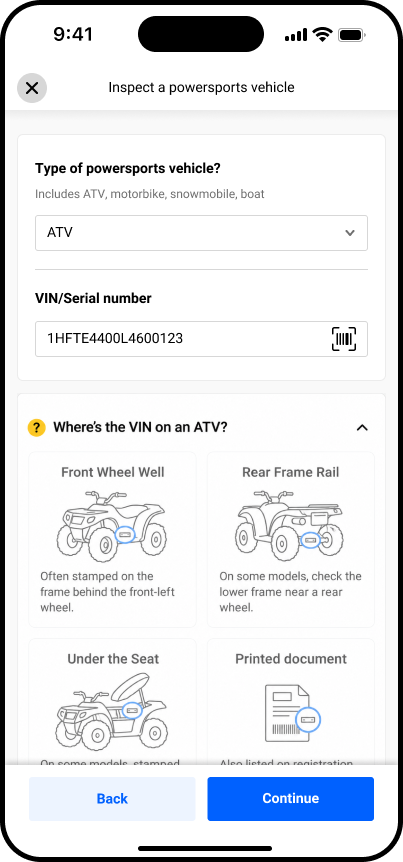
  • Units carry different IDs: VIN, HINHull Identification Number: the ID stamped on boats and personal watercraft., serial or maker code
  • Dealers can't tell which number the app wants
  • The number can be anywhere on the frame
  • Dirt, mud and corrosion make it unreadable to OCR
  • Many identifiersVIN, HINHull Identification Number: the ID stamped on boats and personal watercraft., serial or maker code
  • Unclear which oneThe dealer is guessing
  • No fixed placeAnywhere on the frame
  • Dirt & corrosionUnreadable to OCR
Legacy entry step · internal data
62%
Drop-offAbandoned at the entry step
41%
Scan failureBarcode/OCR couldn't read the identifier
76%
Low confidenceRead returned, but unreliable

Entry-step failure caused by scan-first logic: The data was unambiguous: the scanner was the funnel's leak, not its on-ramp.

Industry context The wider industry sees the same thing Show dataHide data

These internal numbers aren't a one-off. Third-party sources describe the same structural problem — and a large, growing market sitting behind it.

~10-digit
Typical powersports VINOften partial or non-standard vs a car's 17 — so it can't self-decode1
>1in 10
Decode-error red lineAbove this, a data source isn't broad enough for multi-brand powersports2
15–30min
Manual entry per unitvs ~60–90 sec when a decode works — failed scans cost real time2

Market size: the US powersports market is projected to grow from $15.3B (2024) to $26.8B by 20341 — a segment the car-first flow was quietly turning away.
1 PCMI, non-VIN powersports challenges  ·  2 DealerClick, powersports intake playbook.

Core insight

"Scan" is three different jobs

A scan looks like one action, but it's really three separate steps: capture, decode and match. Each one can work or fail on its own. Seeing them separately changed the question from "did the scan work?" to "what do we do when one step comes up empty?" That question shaped the whole design.

1 · Capture

Read the
characters

  • Turns the number into text
  • Always works once the dealer has the number
2 · Decode

Work out
the vehicle

  • Gets year, make and model from the number itself
  • Only works for standard VINs
3 · Match

Look the
number up

  • Searches a database for past records and value
  • Many powersports units aren't in it

The old flow asked the dealer to succeed at the hardest task first.
The redesign assumes that task will sometimes fail and makes failure a non-event.

04. Research & feasibility

Pressure-testing what's actually possible

Before designing anything "smart", I worked with engineering to check what the backend could actually return. Two findings shaped the design.

Finding 1 · Identifiers

Not every ID can be decoded

  • Most motorcycles and ATVs have a 17-character VIN that decodes fully
  • Watercraft use a HINHull Identification Number: the ID stamped on boats and personal watercraft., which only gives the maker and build date
  • Snowmobiles and older units often have plain serials with nothing to decode
Finding 2 · Valuation data

Many units won't find a match

  • Pricing data for powersports is thinner than for cars
  • Watercraft are often missing altogether
  • So "no match" is common, not rare
◆ The constraint that shaped the UI

Since most units won't match, I designed "nothing came back" as the calm, expected default, not an error. A clean decode or match is a bonus on top.

Industry context Identifier types and valuation sources Show detailsHide details
Identifiers

What each ID can tell you

  • Motorcycles and most ATVs: 17-character VIN, decodes fully
  • Watercraft: HINHull Identification Number: the ID stamped on boats and personal watercraft. (Coast Guard standard), gives only the maker and build date
  • Snowmobiles and older off-road units: plain serials, nothing to decode
  • So decoding depends on the ID, not the vehicle type
Valuation sources

Who prices powersports

  • J.D. Power (formerly NADAguides): the main source for bikes, ATVs, snowmobiles and watercraft
  • Black Book: powersports values, used by Canadian dealers
  • Canadian Blue Book: covers the Canadian market
  • KBB: values bikes and ATVs, but no longer watercraft

Sources: US Coast Guard HIN rules (33 CFR 181, Subpart C) · J.D. Power Powersports · Black Book · Canadian Blue Book · Kelley Blue Book powersports values.

05. Product strategy

Four rules I held the design to

Rule 01

Never dead-end

  • Every failure has a way forward
  • Manual entry is always one tap away
Rule 02

One flow,
shaped by type

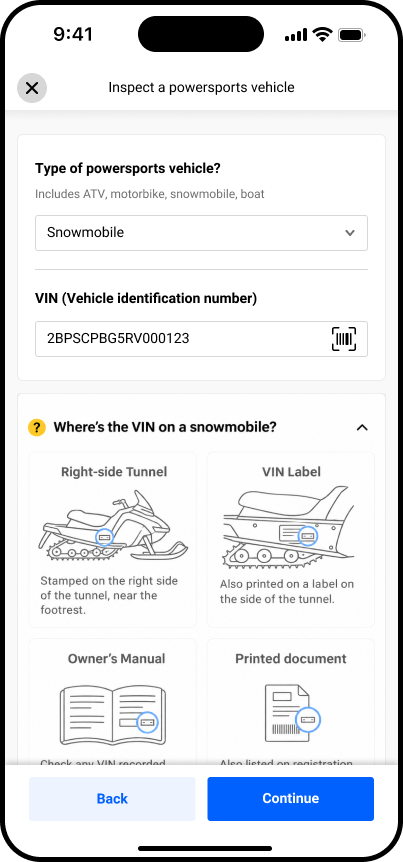
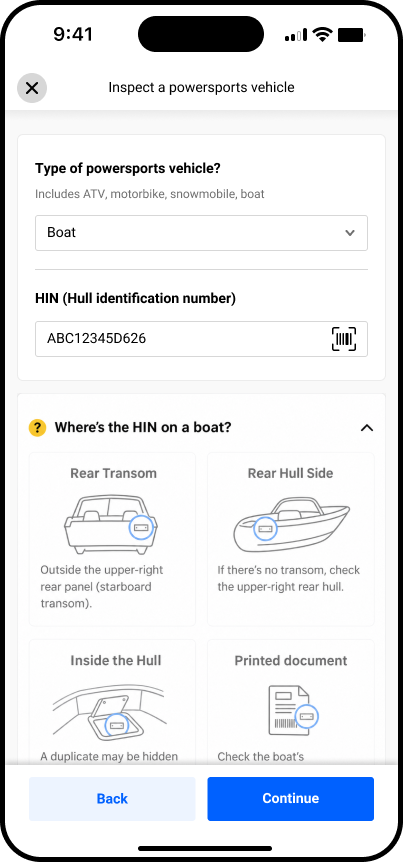
  • Where to find the VIN
  • Which photos to take (per vehicle type)
Rule 03

Data helps, but never blocks

  • Found data fills in the details for the dealer
  • No data? The dealer carries on as normal
Rule 04

Say what's wrong and how to fix it

  • Plain reasons, like "the label looks dirty"
  • A next step, like "wipe the label"
  • Never just "failed"
06. Final experience · Entry

Designing the entry experience

Four steps, from picking the right option to getting a number the dealer can trust.
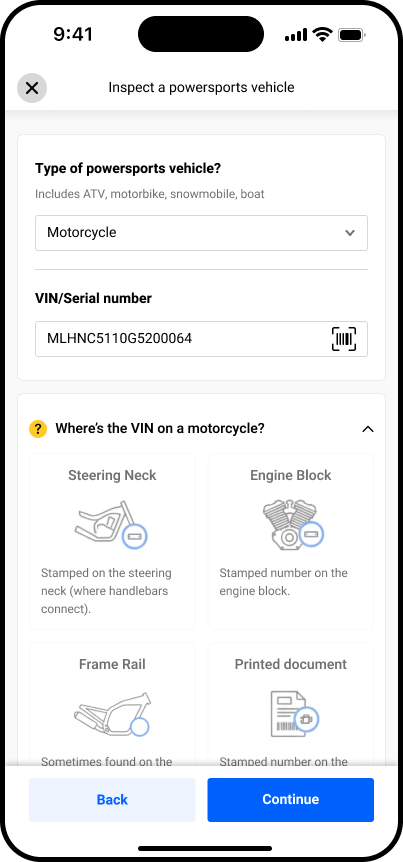
Two clear paths: car or powersports

The Create menu now separates the two flows, so dealers know what they’re getting into before they start.

  • Cars: “Inspect a vehicle with 17-digit VIN”
  • Powersports: its own option, marked New
  • Sets expectations from the first tap
06. Final experience · 360° inspection

Every step is guided, so dealers never wonder what’s next

  1. Line up the ghost outlineEvery photo is framed the same way, so all listing photos look consistent.
  2. Tag damage OptionalTap the photo and a red dot marks the spot.
  3. Take a close-upOnly if damage was tagged. If not, the app takes you to the next view.
  4. Next viewThe app leads the way around the vehicle.

This ensures the dealer never has to revisit a section once it has been cleared.

By vehicle type Built for each vehicle Show detailsHide details

Each type has its own must-have shots, based on what buyers check, and its own order around the vehicle.

Motorcycle
  • Engine, both sides
  • Dashboard
  • Gas tank

VIN on the steering neck, captured before the walk-around.

ATV
  • Frame
  • All 4 tires
  • CV boots
  • Racks

VIN on the frame, in a spot that varies by maker. Each corner is a stop for its tire and axle.

Snowmobile
  • Track
  • Skis & carbides
  • Slides
  • Shocks

VIN on the right side of the tunnel. The track and slides sit underneath, so they’re one stop at the back.

Boat
  • Hull
  • Transom
  • Motor & lower unit
  • Engine hours
  • Trailer

HIN on the right side of the transom, so the loop starts at the back: HIN, transom and motor in one stop.

Personal watercraft
  • Hull
  • Intake grate
  • Impeller
  • Engine hours

The intake and impeller are underneath at the back, checked in one stop with the craft on its trailer.

Sources: J.D. Power used ATV checklist, Ski-Doo snowmobile inspection, Polaris VIN location, 33 CFR 181.29 (HIN location), Boatzon used boat checklist, J.D. Power used jet ski checklist.

06. Final experience · Review & publish

From photos to a live listing

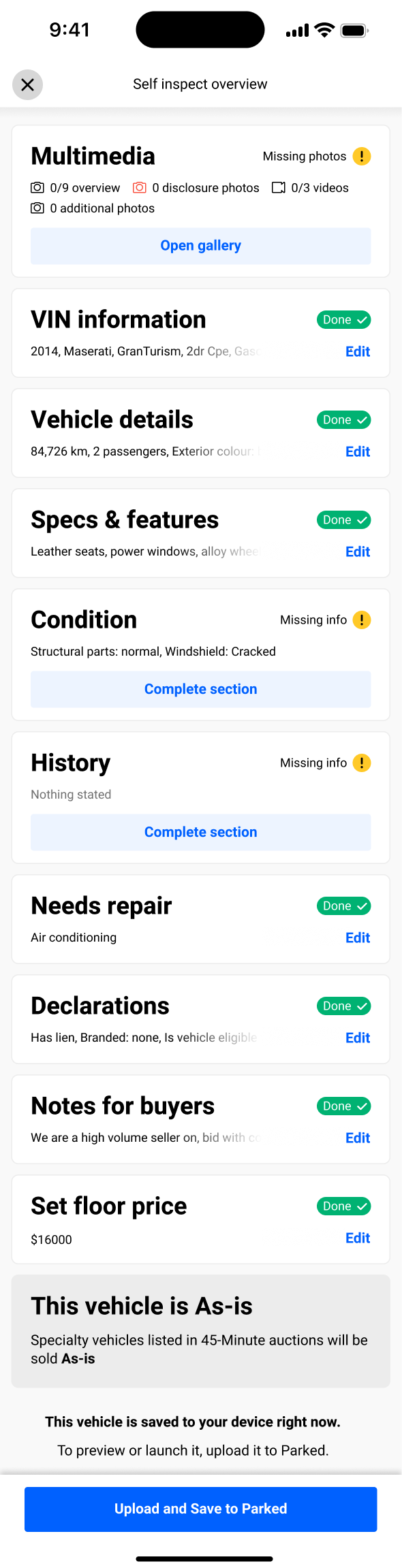
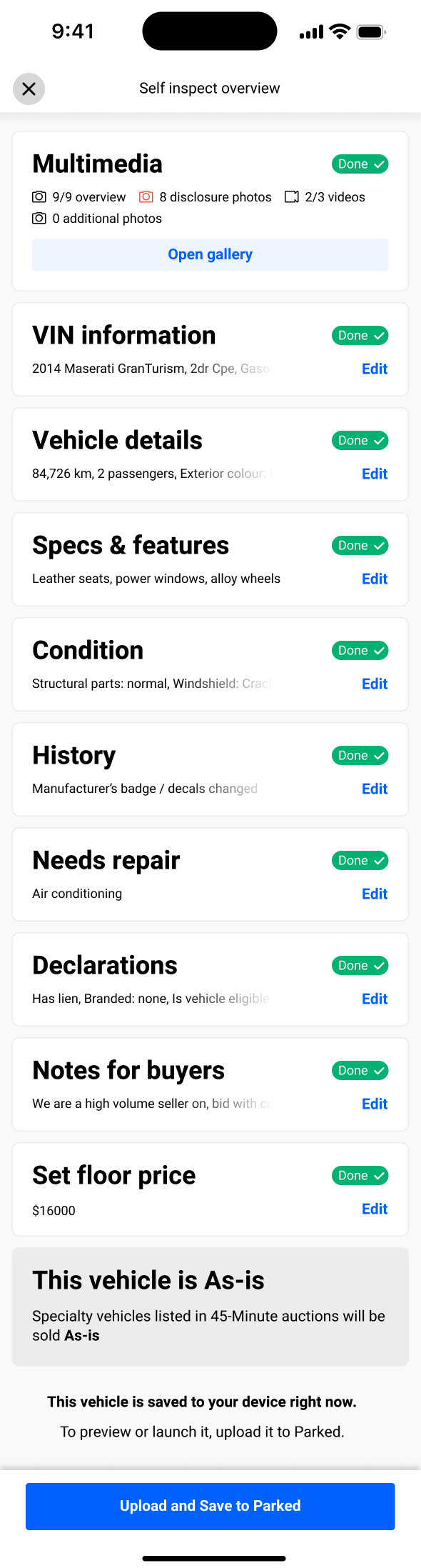
After capture, one overview screen shows what's done and what's missing, so the dealer can finish the listing without hunting for gaps.

See every photo, then check what’s still missing.
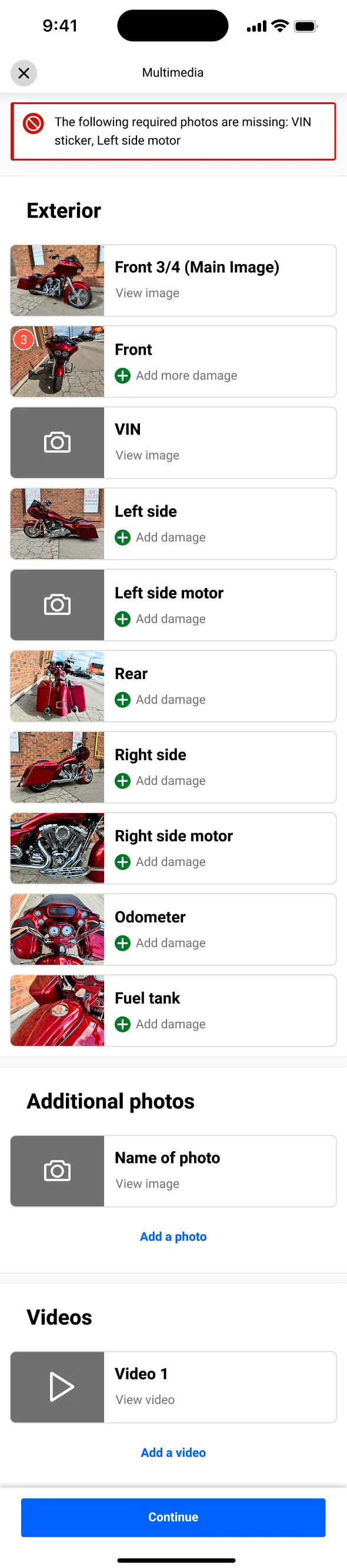
Gallery of every photo taken, grouped in the multimedia section
1Photo galleryScroll the screen
Self inspect overview marking each section as done or missing
2Overview: what’s missingScroll the screen
07. Impact

Dealer impact & business results

Post-launch · business impact
↑20%
Faster inspectionSingle-orbit flow eliminates backtracking and reduces dealer effort.
↓12%
Reduced arbitrationA dispute after the sale: the buyer says the vehicle isn't as described, and OPENLANE steps in to settle it. Fewer disputes means more accurate listings.Ensures coverage of high-risk mechanical zones, reducing post-sale disputes.
↑15%
Increased bid velocityStandardized hero shots build buyer trust → faster first bids.
08. Collaboration & role

How I worked, and what was mine

I owned the end-to-end experience design, but the decisions that made it ship were cross-functional. My job as the senior designer was as much about aligning the right people on the right problem as it was about the screens.

Me

What I led

  • Interviewed dealers to learn what they need
  • Split "scan" into capture, decode and match
  • Designed the entry flow, retries and errors
  • Set the 360° path and must-have shots for each vehicle type
PM

Product & scope

  • Co-wrote the PRD
  • Set success metrics
  • Picked which vehicle types launch first
Eng

Feasibility

  • Tested how decode and match work
  • Agreed when a scan counts as failed
  • Shaped the calm "no match" screen
Data

Valuations

  • Mapped the ID types: VIN, HINHull Identification Number: the ID stamped on boats and personal watercraft., serial
  • Found price sources that cover powersports
  • Kept auto-filled details accurate
◆ Where I had the most influence

My biggest impact was changing the question the team asked. We stopped asking "why did the scan fail?" and started asking "what do we do when a step comes up empty?" That shift, more than any screen, moved the roadmap forward. It's the work I'm most proud of.

09. Reflection

The biggest lever wasn't a screen. It was a reframe.

Treating "scan" as three jobs instead of one turned a scary, all-or-nothing failure into a set of small, designable states.

01

Design for real life,
not the perfect case.

"No match" is common in powersports, so it had to feel normal, not like an error.

02

Set expectations
at the start.

A separate powersports entry told dealers upfront this isn’t the car flow, so a VIN that doesn’t auto-fill feels expected, not broken.

03

Feasibility is a
design input.

Knowing early what the data could return kept the design realistic.

Where I'd take it next

Track where scans fail for each vehicle type, then tune the retry rules. Confirm which price data covers powersports in Canada. And show live hints, like “too dark” or “hold steady”, so dealers can fix the shot before a scan fails.

Press Esc or click outside the image to close